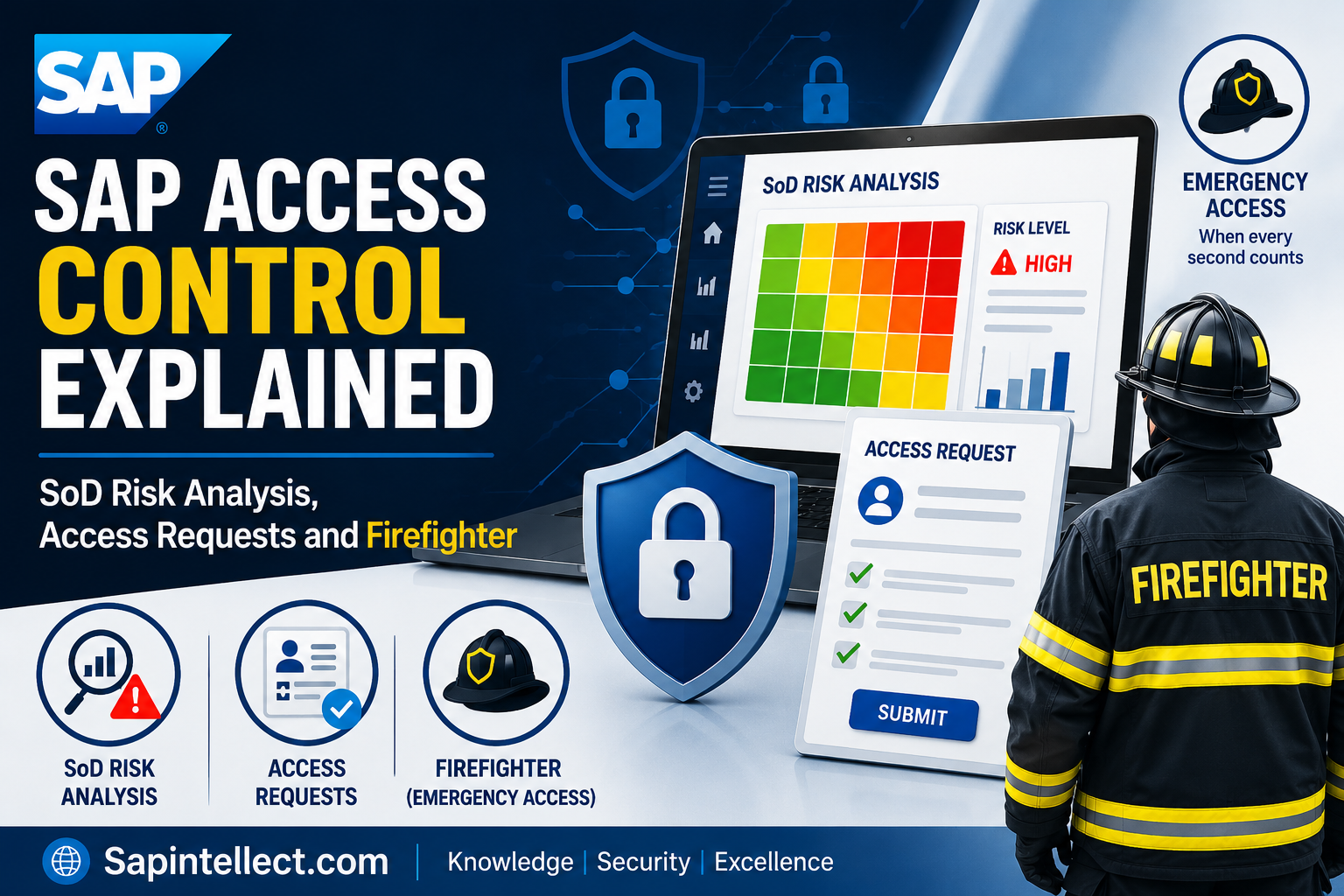
SAP Access Control Explained: SoD Risk Analysis, Access Requests and Firefighter
When one user can both create a vendor and pay it, fraud becomes easy. SAP Access Control helps stop these risks and is a core part of SAP Governance, Risk and Compliance (GRC).
Quick answer: SAP Access Control is the SAP GRC solution for managing user access risks. It detects segregation of duties (SoD) conflicts and critical access, automates access request approvals, manages business roles, controls emergency (firefighter) access and runs periodic user access reviews, helping companies meet audit and SOX requirements.
Key takeaways
- Uses a rule set to find SoD conflicts and critical access.
- Checks risks before access is granted, not after.
- Emergency access is logged and reviewed.
- Periodic reviews keep access clean over time.
What Is SAP Access Control?
SAP Access Control manages who can do what in SAP systems. It combines preventive controls (checking requests) with detective controls (analyzing existing access) to keep user access compliant.
What Are the Main Modules?
| Module | Purpose |
| Access Risk Analysis (ARA) | Detect SoD conflicts and critical access |
| Access Request Management (ARM) | Workflow-based access requests with risk checks |
| Business Role Management (BRM) | Design and maintain compliant roles |
| Emergency Access Management (EAM) | Controlled firefighter access with logs |
| User Access Review (UAR) | Periodic certification of user access |
What Is a Segregation of Duties Conflict?
An SoD conflict exists when one person can perform two steps that should be separated. Common examples:
| Function 1 | Function 2 | Risk |
| Maintain vendor master | Process vendor payments | Fictitious vendor fraud |
| Create purchase order | Post goods receipt | Unauthorized purchases |
| Maintain customer credit limits | Create sales orders | Credit risk |
These processes run in SAP FI, MM and SD.
How Does Access Control Relate to Other GRC Solutions?
Access risks can feed SAP Risk Management, while mitigating controls are tested in SAP Process Control.
How Does an Access Request Work Step by Step?
- Request: a user or manager requests a role through a self-service form.
- Risk analysis: the system checks whether the new role creates SoD conflicts or critical access.
- Approval: the manager and role owner approve, seeing any risks found.
- Mitigation: if a risk is accepted, a mitigating control is assigned.
- Provisioning: the role is assigned automatically in the target system.
- Audit trail: every step is logged for auditors.
How Does Emergency (Firefighter) Access Work?
Sometimes a support person needs powerful access to fix an urgent production problem. Instead of giving them permanent high access, Emergency Access Management lets them log on with a special firefighter ID for a short time. Every transaction and change is logged. Afterwards, a controller reviews the log to confirm the access was used correctly. This balances fast problem-solving with strong control.
Which Access Control KPIs Matter?
| KPI | What it shows |
| Users with SoD conflicts | Overall access risk level |
| Unmitigated risks | Risks without compensating controls |
| Access request cycle time | How quickly users get access |
| Firefighter log review time | Control discipline over emergency access |
| Access review completion | Whether periodic reviews are done on time |
A Simple Real-World Example
An auditor finds that 40 users can both create vendors and post payments in SAP FI. The company implements SAP Access Control, runs risk analysis and redesigns roles so that vendor maintenance and payments are separated. For three users who must keep both tasks in a small subsidiary, a mitigating control requires a monthly manager review of new vendors. New access requests are now checked before approval, so conflicts no longer creep back in.
What Are Common Mistakes?
- Technical-only projects: business owners must own risks and roles.
- Too many roles: role sprawl makes reviews impossible.
- Rubber-stamp reviews: managers approve access without checking it.
Practical Tips From Real Projects
- Start with SAP’s standard rule set, then tailor it with business owners.
- Clean up existing SoD conflicts before switching on preventive checks.
- Review firefighter logs promptly; delayed reviews weaken the control.
Frequently Asked Questions
What is SAP Access Control used for?
It is used to detect and prevent access risks such as segregation of duties conflicts, automate access requests and control emergency access.
What is firefighter access in SAP GRC?
Firefighter access is temporary, elevated access for emergencies. SAP Access Control logs all activity so it can be reviewed afterwards.
What is a mitigating control?
A mitigating control is a compensating check, such as a manager review, used when an SoD conflict cannot be removed.
What is a rule set in SAP Access Control?
A rule set is the library of functions and access risks that Access Control uses for risk analysis. SAP delivers a standard rule set, which companies tailor to their own processes, systems and risk appetite.
What is a user access review?
A user access review is a periodic check where managers or role owners confirm whether users still need their access. Access that is no longer needed is removed, keeping authorizations clean and reducing risk.
Does SAP Access Control work with non-SAP systems?
Yes. Through connectors, SAP Access Control can analyze risks and provision access for some non-SAP applications as well, giving a wider view of access risks across the IT landscape. Check SAP’s documentation for supported systems.
Key SAP Access Control Terms at a Glance
| Term | Meaning |
| Rule set | Library of access risks and functions |
| Function | Group of transactions that perform a business task |
| Access risk | Dangerous combination of functions |
| Mitigating control | Compensating check for an accepted risk |
| Firefighter ID | Temporary ID for emergency access |
| Business role | Role defined in business terms, mapped to technical roles |
How Can You Start Learning SAP Access Control?
- Learn SAP security basics: roles, authorizations and profiles.
- Understand SoD: why certain tasks must be separated.
- Study the rule set: functions, risks and how they are defined.
- Practice workflows: access requests and approvals.
- Explore audits: what auditors expect as evidence.
Who Uses SAP Access Control?
- Security teams designing and assigning roles.
- Internal audit reviewing access risks.
- Business process owners approving access and accepting risks.
- Listed companies with SOX or similar compliance needs.
Final Thoughts
SAP Access Control turns user access from an audit headache into a managed process, reducing fraud risk and making compliance easier to prove.
Sources and further reading: SAP Help Portal · SAP Learning
Written by the SAP Intellect editorial team. Last reviewed: November 2026.
Discover more from SAP Intellect
Subscribe to get the latest posts sent to your email.