SAP PDM (Product Data Management) Explained: BOMs, Documents and Change Control
Every product a company makes is defined by data: materials, structures, drawings and specifications. SAP Product Data Management (PDM) keeps that data accurate and controlled, and is the foundation of SAP Product Lifecycle Management.
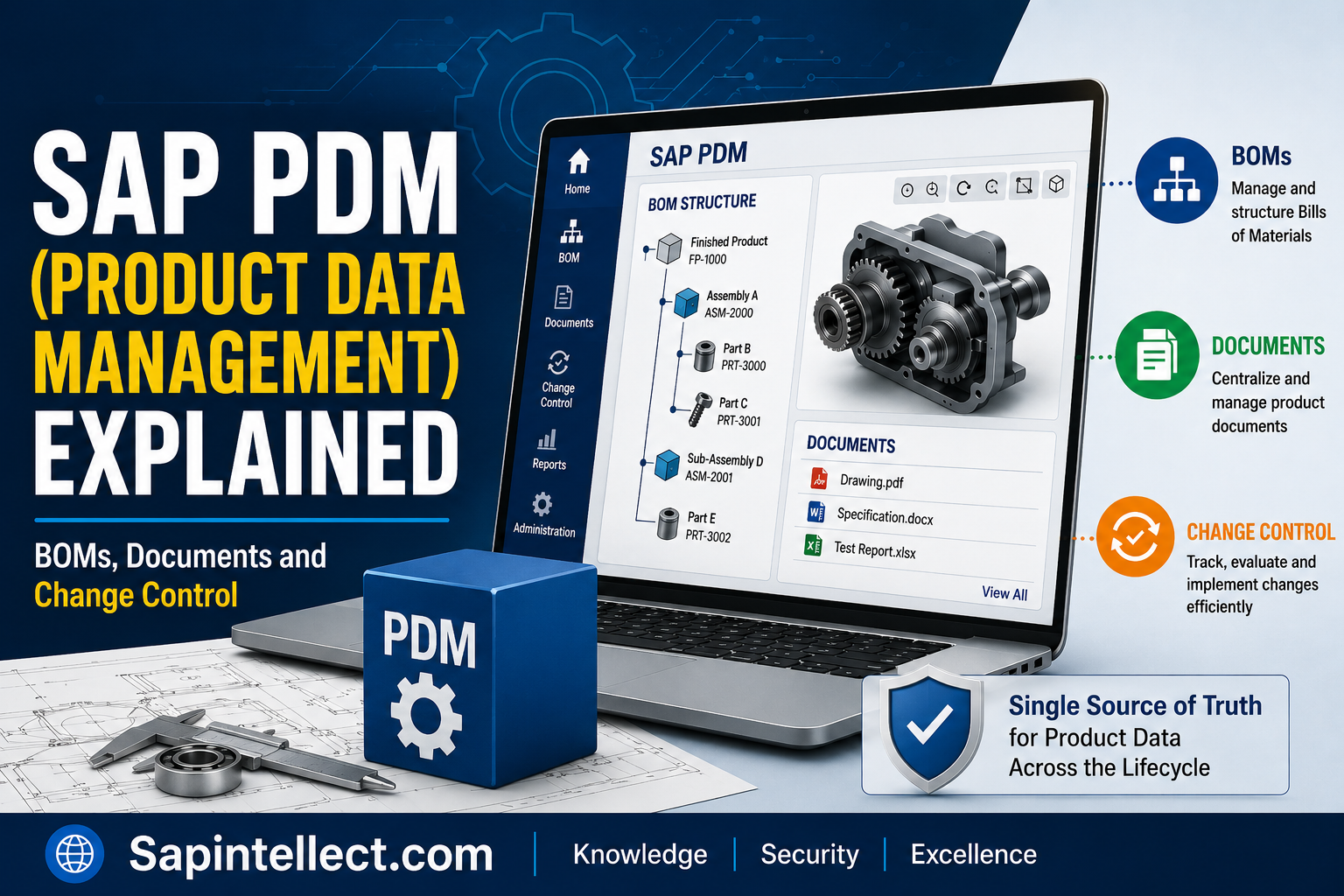
Quick answer: SAP Product Data Management (PDM) is the part of SAP PLM that manages product master data. It covers material masters, bills of materials (BOMs), document management including CAD files, classification, and engineering change management, so that engineering, production and procurement all use the same, current product information.
Key takeaways
- One source of truth for product data across departments.
- BOMs define what a product is made of.
- Document management links drawings and CAD files to materials.
- Engineering change management controls and records every change.
What Is SAP PDM?
SAP PDM stores and controls all information that describes a product, from first design to production, and makes it available to every process that needs it.
What Are the Key PDM Objects?
| Object | Purpose |
| Material master | Basic data about each part or product |
| Bill of materials (BOM) | Structure of components for a product |
| Document info record | Drawings, CAD models and specifications |
| Classification | Characteristics for search and variants |
| Change number / change record | Controlled, traceable engineering changes |
Engineering BOM vs Manufacturing BOM
| Engineering BOM | Manufacturing BOM | |
| Created by | Engineering | Production planning |
| Structure | Functional design view | How the product is built |
| Used in | Design and development | SAP PP and MRP |
How Does Engineering Change Management Work?
- A change request is raised and evaluated.
- A change number defines what changes and from which date.
- BOMs, documents and materials are updated with the change number.
- History is kept, so earlier versions can always be traced.
How Does PDM Connect With Other SAP Areas?
PDM data feeds S/4HANA Manufacturing, purchasing in SAP MM, and product projects in SAP PPM. CAD integrations link design tools directly to SAP documents.
Which SAP PDM Transaction Codes Should Beginners Know?
| T-code | Purpose |
| MM01 / MM02 | Create / change a material master |
| CS01 / CS02 | Create / change a bill of materials |
| CS11 | Explode a BOM level by level |
| CV01N / CV02N | Create / change a document info record |
| CC01 | Create a change master (change number) |
| CL20N | Assign objects to classes |
How Does Document Management Work?
SAP Document Management System (DMS) stores drawings, specifications, manuals and CAD files as document info records. Each document has a type, number, version and status, such as “in work” or “released.” Documents are linked to materials, BOMs, equipment or projects, so anyone looking at a product can open the correct drawing. Versioning ensures that production always uses the latest released version.
What Is Variant Configuration?
Many companies sell products with options, for example a bicycle with different frame sizes, colors and gears. Instead of creating a material for every combination, variant configuration uses one configurable material with characteristics and rules. When a customer orders, the chosen options select the correct components from a super-BOM. This keeps product data manageable even with thousands of possible variants.
A Simple Real-World Example
An engineering team changes the design of a pump housing to use a stronger material. They create a change number with a valid-from date, update the BOM and attach the new CAD drawing as a new document version. From that date, production automatically uses the new BOM, and purchasing orders the new material. If a customer later reports an issue, the team can see exactly which design version was used in each production order.
What Skills Do PDM and PLM Consultants Need?
- Understanding of engineering and product development processes.
- Configuration of material types, BOM usage, document types and change management.
- Knowledge of classification and variant configuration.
- Integration with CAD tools, MM and PP.
Practical Tips From Real Projects
- Define clear ownership for each product data object.
- Use change numbers consistently; uncontrolled changes break traceability.
- Clean and standardize material masters before migration.
Frequently Asked Questions
What is SAP PDM?
SAP Product Data Management is the part of SAP PLM that manages material masters, BOMs, documents, classification and engineering changes.
What is a BOM in SAP?
A bill of materials is a structured list of the components and quantities needed to make a product.
What is engineering change management in SAP?
It is the process of controlling and recording changes to product data using change numbers, with full history.
What is variant configuration in SAP?
Variant configuration handles products with many options using one configurable material, characteristics and rules. When a customer chooses options, SAP selects the right components and operations automatically instead of needing a separate material for every combination.
What is SAP Document Management System?
SAP DMS stores drawings, CAD models, specifications and other files as document info records with versions and statuses. Documents are linked to materials, BOMs and other objects, so users always find the correct released version.
What is the difference between PDM and PLM?
PDM focuses on managing product data such as materials, BOMs, documents and changes. PLM is broader and covers the whole product lifecycle, including PDM plus project and portfolio management, compliance, quality and collaboration.
Key SAP PDM Terms at a Glance
| Term | Meaning |
| Material master | Central record for each part or product |
| BOM usage | Purpose of a BOM, such as engineering or production |
| Document info record (DIR) | SAP record for a drawing or file |
| Change number | Controls and records engineering changes |
| Class and characteristic | Attributes used to classify and search objects |
| Configurable material | Product with options handled by variant configuration |
How Can You Start Learning SAP PDM?
- Learn product data basics: materials, BOMs and documents.
- Practice BOM maintenance: create and explode BOMs.
- Study document management: versions, statuses and links.
- Understand change management: change numbers and validity dates.
- Explore advanced topics: classification, variant configuration and CAD integration.
Who Uses SAP PDM?
- Engineering teams designing products.
- Production planners relying on accurate BOMs.
- Purchasing buying the right parts.
- Quality and service teams tracing product versions; see SAP QM.
Final Thoughts
Accurate product data is the base of every downstream process. SAP PDM keeps that data controlled, shared and traceable across the product lifecycle.
Sources and further reading: SAP Help Portal · SAP Learning
Written by the SAP Intellect editorial team. Last reviewed: November 2026.
Discover more from SAP Intellect
Subscribe to get the latest posts sent to your email.